

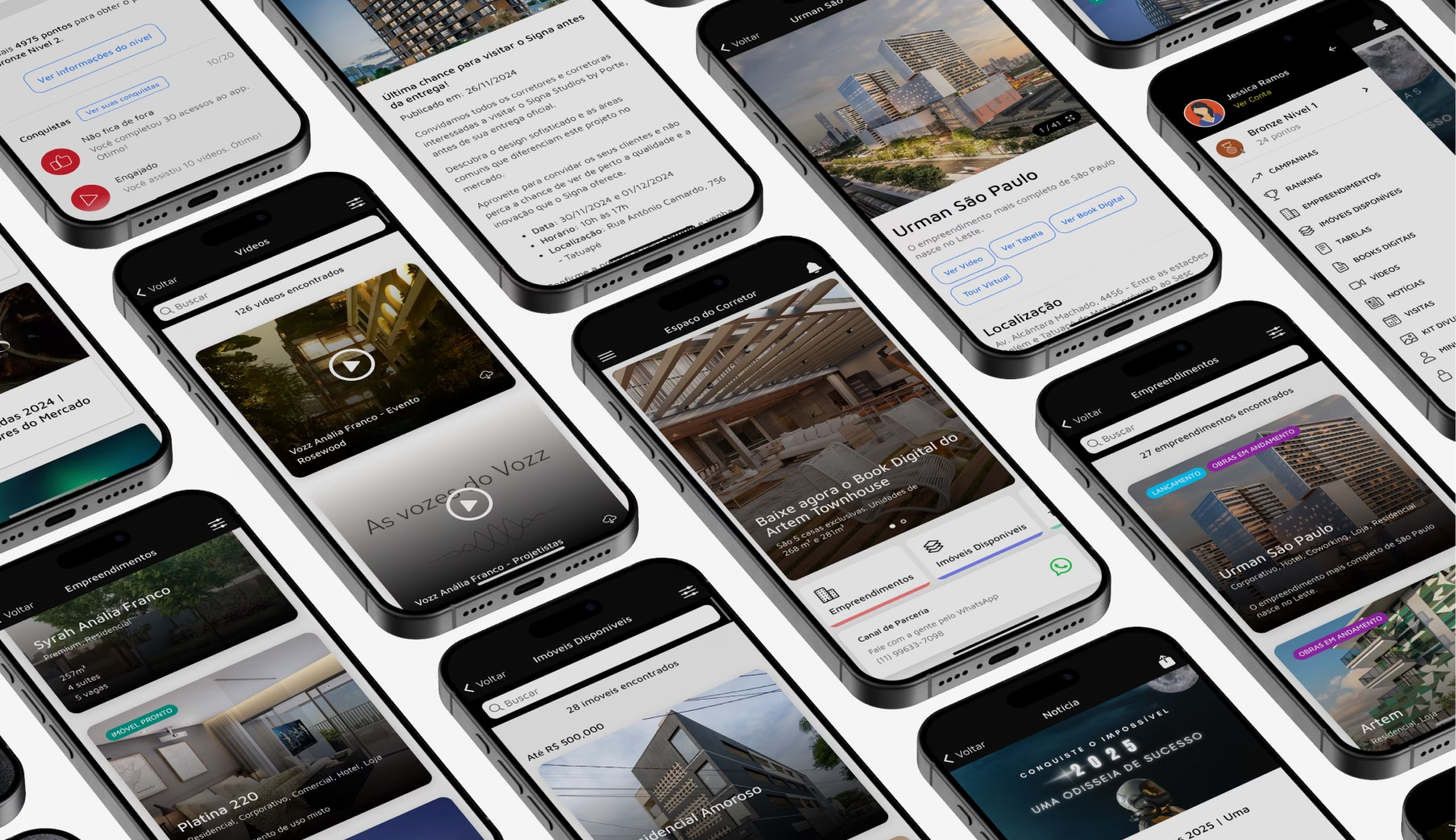
Understand the step-by-step process to transform an idea into a functional app, including how long it takes, what influences investment, and the mistakes that cause projects to fail before launch.
The app market is growing every day, and with it comes the search for efficient, intuitive, and scalable solutions. Companies of all sizes have already understood that being on mobile is no longer a trend: it's a mandatory presence.
But before launching an app in stores, there is a technical and strategic path that must be followed carefully. From the briefing to publication, each stage of development directly influences performance, user experience and, of course, your brand's results.
In this guide, we've compiled the 5 essential steps in app development and gone further: you'll also find average market timelines, the factors that influence investment, the difference between native and cross-platform development, and the most common mistakes that increase costs (or kill) app projects.
1. Strategic alignment: briefing and scope definition
Every successful app is born before the first line of code. The briefing stage is a deep mapping of needs, business objectives, and desired functionalities. It's what defines whether the project will solve a real problem or just take up space in the app store.
At this stage, the right questions are worth more than quick answers:
- What problem does the app solve, and for whom?
- What does it need to have at launch, and what can be left for a second version?
- Which systems does it need to integrate (CRM, ERP, payment methods, third-party APIs)?
- How will success be measured after launch?
The result of the briefing is a prioritized scope. Projects that skip this step often discover its cost later, in the form of rework: each feature decided "mid-way" costs, on average, several times more than if it had been planned from the beginning.
Practical tip: If the budget is limited, the answer isn't to cut quality, it's to cut scope. A well-defined MVP (minimum viable product) validates the idea with less investment and generates real user learning before scaling.
2. Planning the structure and user experience (UX)
With the scope defined, the next step is to structure the application in a functional and intuitive way. This is where user interface (UI) and user experience (UX) planning come in: navigation flows, wireframes, navigable prototypes, and the design system that ensures visual consistency across all screens.
Prototyping is the cheapest time to make mistakes. Testing a flow in a prototype in Figma takes hours; discovering the same problem with the published app costs weeks of development and negative reviews in the app store.
Collaboration between designers and developers at this stage is crucial: the design needs to be beautiful, but also technically feasible and performance-oriented. Accessible buttons, a clear hierarchy of information, and fast-loading screens are not just aesthetic details; they are direct factors in user retention. Most users abandon an app after the first few uses when the experience is confusing.
3. Technical development and continuous validation
With the structure approved, the actual development begins, which in well-managed projects takes place in agile cycles (sprints), with partial deliveries and continuous validation at the end of each cycle.
This is also the stage for architectural decisions, and the most important of these is the choice of technology:
- Native development (Swift for iOS, Kotlin for Android): maximum performance and full access to device resources. It's the way to go for apps with high graphics or hardware requirements, but it requires two separate codebases, which increases cost and time.
- Cross-platform (React Native, Flutter): a single codebase for both platforms, with performance very close to native in most use cases. For most business apps, it's the most cost-effective choice, as it significantly reduces development time and investment.
Working in sprints offers an advantage that goes beyond organization: the client sees the product evolving with each cycle and can adjust priorities based on what they see working, instead of waiting months for a "grand delivery" that might already be misaligned from the start.
4. Final testing and refinement
No app should reach the app stores without undergoing a structured battery of tests. And testing isn't just about "seeing if it works":
- Functional tests: Does each flow behave as specified?
- Usability testing: Can real users complete tasks without friction?
- Performance tests: Does the app remain fluid despite a poor connection, low memory, or thousands of simultaneous users?
- Security tests: Are user data protected in accordance with the LGPD (Brazilian General Data Protection Law)?
- Compatibility tests: Is the behavior consistent across different devices, screen sizes, and operating system versions?
The refinement that comes out of this stage is what separates a functional app from a reliable one. It's worth remembering that the first impression in app stores is practically irreversible: recovering the rating of a poorly rated app at launch is much more difficult than launching well.
5. Launch in stores and monitoring
Publishing on the App Store and Google Play has its own technical requirements, such as review policies, store assets, and optimized descriptions (ASO), as well as approval timelines that need to fit into the schedule.
But the launch isn't the finish line: it's the beginning of the longest phase of the product lifecycle. From here on, the following steps begin:
- Metrics monitoring: retention, engagement, crash rate, and reviews;
- Continuous maintenance: Corrections, operating system updates, and feature enhancements;
- Data-driven iteration: Decisions in version 2.0 should stem from actual user behavior, not assumptions.
Apps abandoned after launch lose users quickly. Those that grow treat the product as something alive, with a roadmap and constant improvement cycles.
What influences the cost and timeframe of an application?
This is probably the most frequently asked question, and the honest answer is: it depends on the scope. Two projects that seem similar on the surface may require very different investments, which is why it's wise to be wary of ready-made price lists.
What truly defines an app's investment:
- Number of features at launch: The larger the scope of the first version, the larger the team and the development time;
- Integrations with existing systems: CRM, ERP, payment methods, and third-party APIs add complexity;
- Need for a custom backend: Apps that rely on servers, registration, and real-time data require more engineering.;
- Technology chosen: Native development tends to cost more than cross-platform development because it involves development on two fronts.;
- Design, safety, and scalability requirements: Compliance with LGPD requirements, high availability, and a tailored experience raise the project's standard.
In terms of timeline, the market typically works with windows of 2 to 8 months, depending on the complexity: a lean MVP can be ready in a few weeks, while complete products with multiple integrations take longer.
It's also worth considering that the investment doesn't end with the launch: maintenance, feature upgrades, infrastructure, and store fees are all part of the product lifecycle and should be included in the planning from the start.
Therefore, every serious budget starts with a well-prepared briefing, not a generic table.
The mistakes that most increase the cost (or kill) app projects.
After dozens of projects, some error patterns keep repeating themselves:
- Start with development, not strategy. Coding without a thorough briefing is a recipe for rework.
- Wanting to go all in. Bloated scopes delay launch and postpone real learning from users.
- Treating design as aesthetics. Poor UX design isn't fixed with pretty screens, but rather with research and prototyping.
- Underestimating the post-launch period. Those who don't budget for maintenance and upgrades are only budgeting for half the product.
- Choosing technology because it's trendy. The right stack is the one that best meets the use case with the best total cost, not the most talked-about one at the moment.
Frequently Asked Questions
What is app development?
It's the complete process of creating an app, from strategy and design to code, testing, publication in app stores, and ongoing maintenance. It involves multidisciplinary teams from product, design, and engineering.
How long does it take to create an app?
Between 2 and 8 months, depending on complexity. A lean MVP can be ready in a few weeks; complete products with integrations take longer.
Is a native app or a cross-platform app better?
For most business apps, cross-platform (Flutter or React Native) offers the best cost-benefit ratio. Native development is justified when there is a high demand for graphical performance or intensive use of device resources.
Do I need an app, or will a website suffice?
It depends on the use case. If the response involves recurring engagement, notifications, and mobile phone features, the app tends to be worth the investment. We compare the two scenarios in detail in the article. App or website? Find out which is the best choice for your startup.
How to choose a development company?
Evaluate portfolios with real-world case studies, discovery processes (be wary of those who quote without a briefing), team seniority, and clarity regarding post-launch support. See our [link/reference]. digital product case studies.
Ready to get your idea off the ground?

At follow55, we take care of every stage of development, from briefing to post-launch, with an integrated team of strategy, design, and engineering professionals. Learn more about our solution. digital products Or see in practice what we've built in case studies like the... TasteWay, our most recent project, and apps like the My Skin (NIVEA), the SmartOffice (Alpargatas) and the My Size.


 Portuguese
  English